How to manage Claude Teams/Enterprise Plugins, Connectors, and Skills
Claude’s organization-level extension management is very exciting and also very janky at this point in time. I’m sharing what I’ve learned from setting up our org, as well as the gotchas and bugs I’ve hit for anyone else fighting through this right now. This is all true as of March 8, 2026. Claude now changes daily so this will become out of date as time goes on.
Claude.ai Teams/Enterprise plans and Extension Terminology
Claude.ai it the umbrella term for everything non-Developer focused at Anthropic. This includes Claude on the web/desktop/mobile, plus Claude Code and Claude Cowork. You get a Claude.ai Organization when you move to either the Teams or Enterprise plans, allow companies to manage seats on behalf of their employees. Enterprise gets you access admin management tools including analytics and usage reporting.
One of the big features Teams (I think?) and Enterprise enables is managing a team-wide set of integrations:
- Connectors (Claude’s term for MCP servers)
- Skills
- And Plugins / Marketplaces
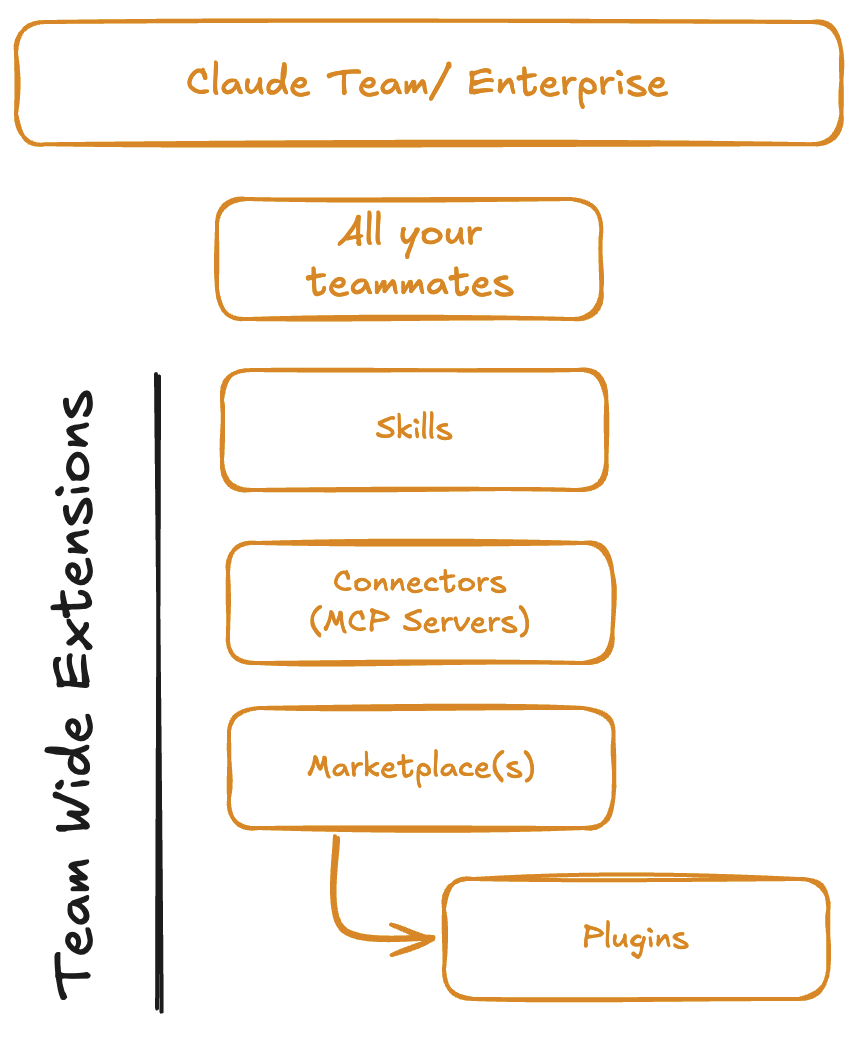
Unlike MCP and Skills, which are open standards, Plugins are Claude-specific. Plugins are bundles of skills/MCP servers/hooks. And a marketplace is Claude’s term for a repository of plugins.
Team-wide Distribution
Claude supports publishing a shared set of Skills, Connectors, and Plugins (and Marketplaces) across your team, but they all behave completely differently depending on the type of extension AND which agent/platform you’re using. The reality right now is that Anthropic appears to be shipping their org chart at the moment. I hope they’ll add a “Can you explain these concepts to humans” role to their internal agent team at some point in the future so this
Publishing Skills/Connectors/Plug-ins
- Skills can be distributed directly at the org level. They need to be manually uploaded and manually updated.
- Connectors can also be enabled at the org level. Connectors are currently the most widely “supported” across all the various agent-platforms.
- Connectors enabled at the org level can be synced all the way down to Claude Code CLI (you might need to have the desktop app installed to). You’ll see them pop in. This can accidently jack up token use for CLI users so if they don’t want this, you can have them disable this by setting
ENABLE_CLAUDEAI_MCP_SERVERS=false. This is a surprising default and I assume they’ll make it optional in the future. - Claude Cowork users inside an org don’t seem to be able to add any connector themselves. They must to be org-level managed. This is also a silly restriction that I assume they’ll make optional in the future.
- Neat aside: This appears to be the only way you can get custom MCP servers on the mobile app at the moment.
- Connectors enabled at the org level can be synced all the way down to Claude Code CLI (you might need to have the desktop app installed to). You’ll see them pop in. This can accidently jack up token use for CLI users so if they don’t want this, you can have them disable this by setting
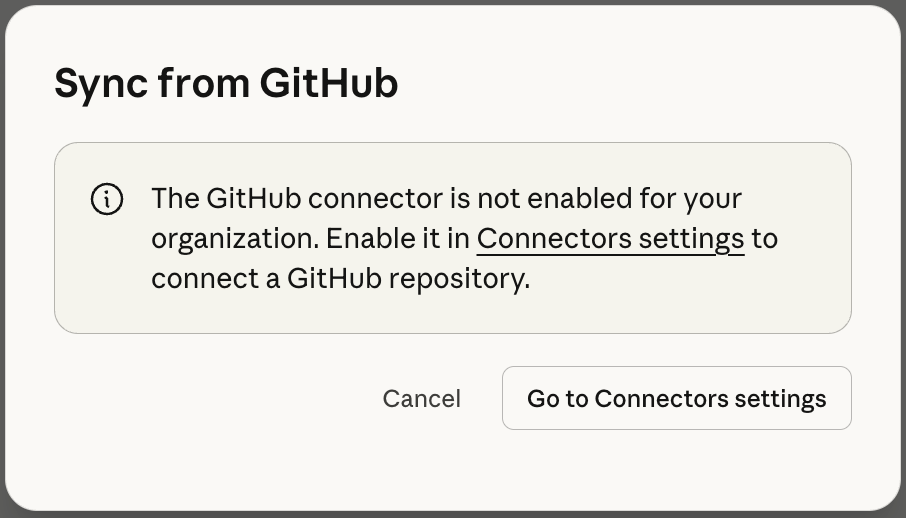
- Plugins offer grouping and autoupdating which is a nice benefit over just using skills and connectors directly. Plugins can uploaded manually like skills or can be set up to pull from a git repo which is nice. Once enabled, plugins can be hidden/available for install or automatically installed.
- Heads up: This secretly uses a “system” Github Connector that also powers Claude Code Cloud. As far as I can tell, this will conflict with Github’s own remote MCP server and trying to install that will cause issues. But annoyingly, this also can’t be used directly by any clients which is annoying.
Agent-Platform support for this varies widely
Great, now you’ve got your skills/connectors/plugins published to your team. Whether they can actually use them is another story that depends on which Agent and platform they’re using it on. Even though Claude/Cowork/Code are all available right next to each other in the Desktop have, they have complete disconnected behaviors.
- Claude Cowork Desktop - The most tied to the org. Skills, Connectors, and plugins installed (either forced or opted in).
- Claude.ai (Web, Desktop, Mobile) - No plugins but org level skills and connectors are available (which is pretty cool for mobile!).
- Claude Code (Desktop or CLI) - Connectors should be available (may require the desktop app) but otherwise, no team-wide skills or plugins are available.
- Though it’s not automatically installed, you can manually install the same plugin marketplace, and enable auto updates as well.
- Obviously any Skills or MCP servers enabled locally either in your user profile or project are accessible to Claude Code (both CLI and Desktop)
- Claude Code in the Cloud - Cloud environment seems to have … nothing? No connectors, no skills, no plugins. You can force a cloud agent to follow a skill checked into the repo but it doesn’t seem to pick them up initially.
That’s where we’re at, at the moment. On the TODO list is to get further into some of the analytics tools so we can get a sense of who’s using the most tokens. I’ll plan to update this article while I keep discovering quirks.